Four real scenarios, one Agent workflow
Pick a scenario on the left and watch the right side simulate how OpenFlow moves from input to reasoning, tool calls, and usable output.
Marketplace apps enter the Agent workspace
OpenFlow apps are not isolated destinations. The Agent can choose apps inside one task context, call capabilities, and route results back to chat, documents, or workflows.
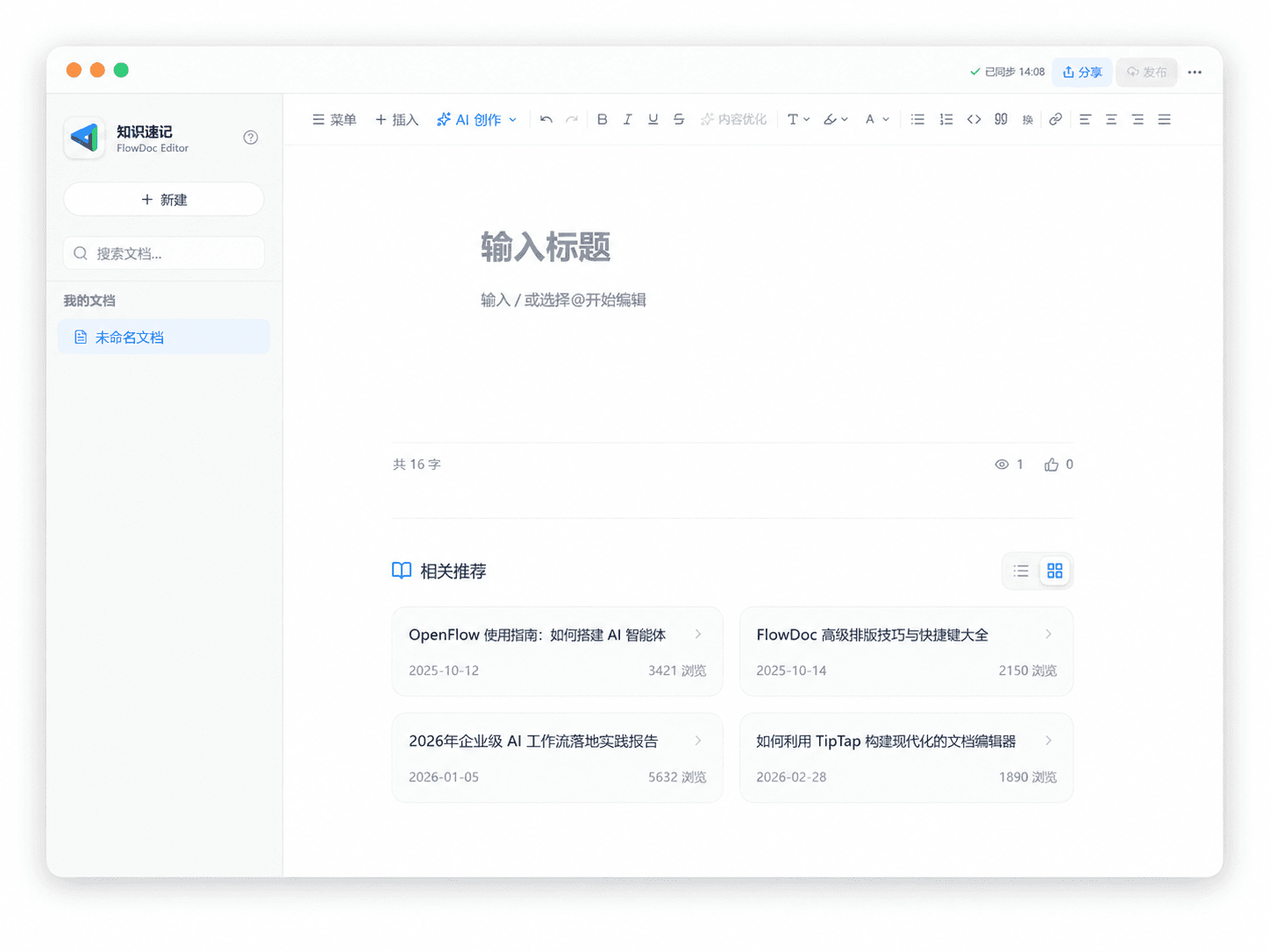
FlowDoc
Document editor for reports, notes, and knowledge capture.
Open appAgent orchestration
Understand tasks, choose apps, organize outputs
Document editor for reports, notes, and knowledge capture.
- 1Start from chat
- 2Select app capability
- 3Return output
- 4Save as doc or workflow
Capabilities your Agent can call
Capabilities are not scattered apps. They are a toolbox the Agent can select and combine while completing work.
Search
Deep Research, literature search, knowledge graph, RAG, and source exploration.
Create
Image generation, image editing, reports, multimodal input, and visual rendering.
Automate
Workflow orchestration, MCP tools, code interpreter, and external services.
Remember
User profiles, long-term memory, experience accumulation, and reusable skills.
A continuous AI workspace
Conversation is the entry point. Capability calls are the process. Results become reusable workflows. OpenFlow keeps complex AI work clear, traceable, and repeatable.
Break the launch request into research, image creation, and publishing workflow.
Collect sources, summarize patterns, and keep citations attached.
Generate visual directions and prepare reusable prompt templates.
Save the repeatable steps as a workflow for the next campaign.
A deeper technical foundation when needed
Models, MCP, RAG, workflows, and memory live in one platform when users need to go deeper.
From docs to workflows
Docs should help users understand how Agents, apps, tools, and workflows work together. This keeps a Docs entry ready for a full documentation page.
Read docsBuilt for individuals and teams
Pricing will center on usage, model calls, collaboration, and private deployment. This keeps the product navigation ready for commercialization.
Contact usConnect mainstream models and tool ecosystems
Multi-model routing lets different models and tools serve the same Agent workspace.
 OpenAI
 Gemini
 DeepSeek
 Qwen
Qwen MiMo
MiMo OpenRouterOpenAIGeminiDeepSeekQwenMiMoOpenRouter
What our users say
See what our customers have to say about us.